A convenient tool for monitoring Mac storage
Storage Menu is a macOS utility that makes it easier to monitor disk space without opening separate system tools. It displays used and available storage directly in the menu bar, covering both the Mac's internal drive and connected external volumes. This gives you a quick overview of your storage.
See and manage your Mac's storage
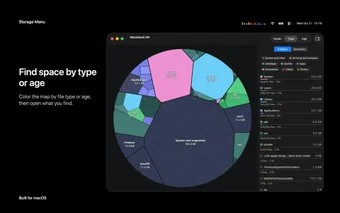
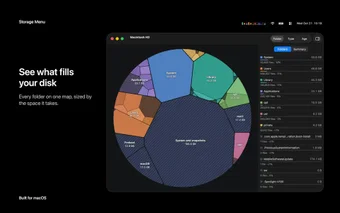
Storage Menu helps you identify which folders take up the most space through a visual map of disk contents. It also lets you configure storage warnings for individual volumes, making it easier to notice when a drive approaches its capacity. These features support basic storage management and cleanup.
Additional guides explain how to check disk space using Finder, Disk Utility, and Terminal. They cover full startup disks, System Data, local snapshots, and shared APFS storage. However, users seeking detailed cleanup tools may need other utilities, as the app primarily focuses on monitoring storage usage.
Practical way of managing storage
Storage Menu offers a convenient way to keep track of disk space on a Mac and external drives. Its folder map and customizable warnings help users understand their storage needs. However, those who want advanced cleanup features may need additional tools to manage files and free up space.